
Quick answer
Add or accept the player with your Microsoft account in the Xbox app or on xbox.com. Return to Halo Campaign Evolved, open Invite from the home screen, then scroll horizontally to the cross-platform friends list.
Guide briefing
Adding Cross-Platform Friends in Halo Campaign Evolved
Add or accept the player with your Microsoft account in the Xbox app or on xbox.com. Return to Halo Campaign Evolved, open Invite from the home screen, then scroll horizontally to the cross-platform friends list.
Applies to
- — Halo Campaign Evolved on Xbox Series X|S and PC
- — Players with Microsoft accounts
- — Users wanting to connect with friends on different platforms
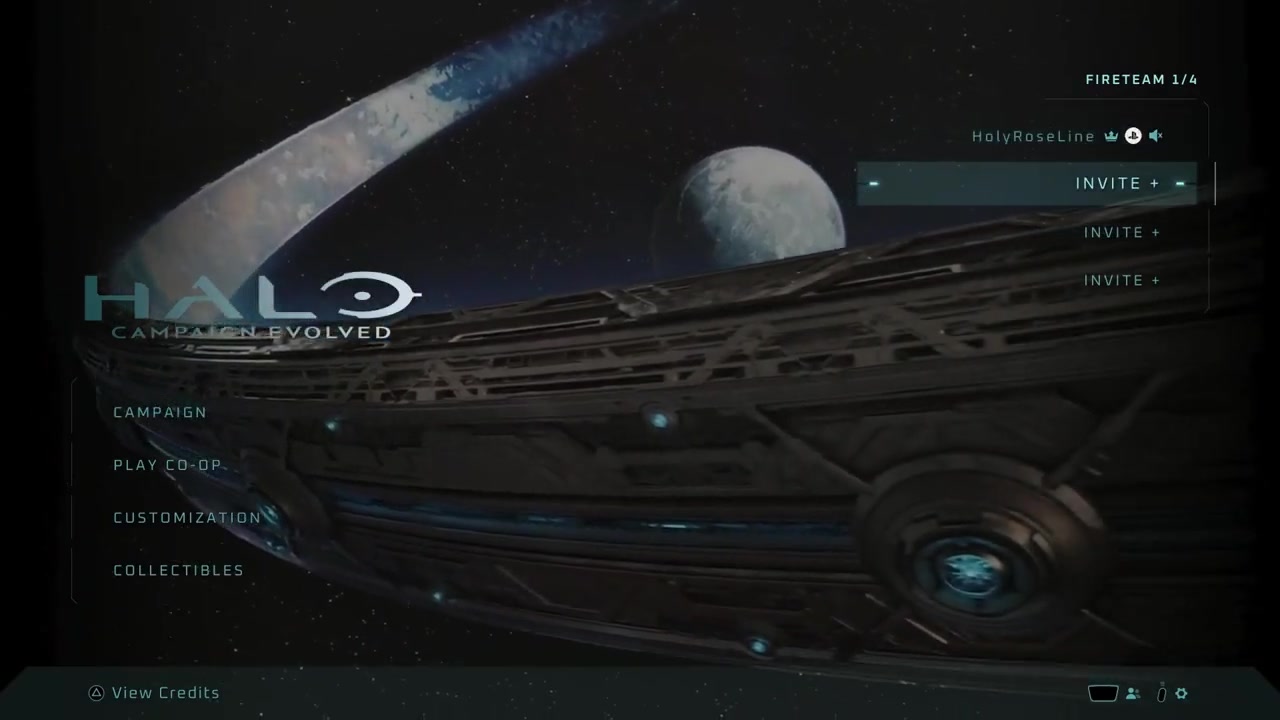
Accessing the friends list from the home screen
From the Halo Campaign Evolved home screen, users can open the friends list by selecting the 'Invite' option or pressing the button in the bottom-right corner, which is required before any friend management actions can be performed.
How it works
- Scroll over the home screen to locate and select the 'Invite' option.
- Alternatively, press the button visible in the bottom-right corner of the screen.
Source boundary: The friends list interface is only accessible from the home screen; attempting this from within a match or menu will not work.
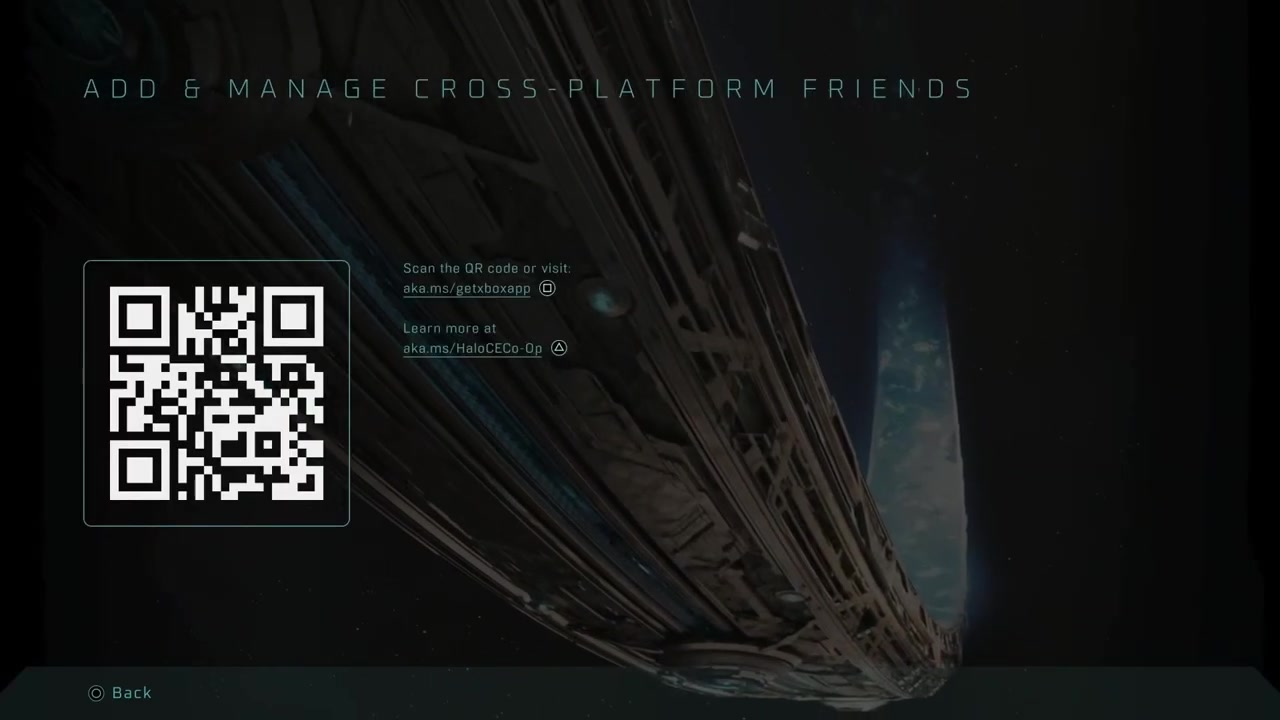
Identifying cross-platform friends in the friends list
Once the friends list is open, users see friends on the same platform first. By scrolling horizontally, they can reveal cross-platform friends, who are explicitly labeled as such and require external platform action to add.
How it works
- After opening the friends list, scroll left or right to view additional friend categories.
- Cross-platform friends appear after scrolling and are distinguishable by their label and associated prompt.
Source boundary: Cross-platform friends are only visible if the user has previously attempted to add them via the Xbox ecosystem—or if the friend has already sent an invite.
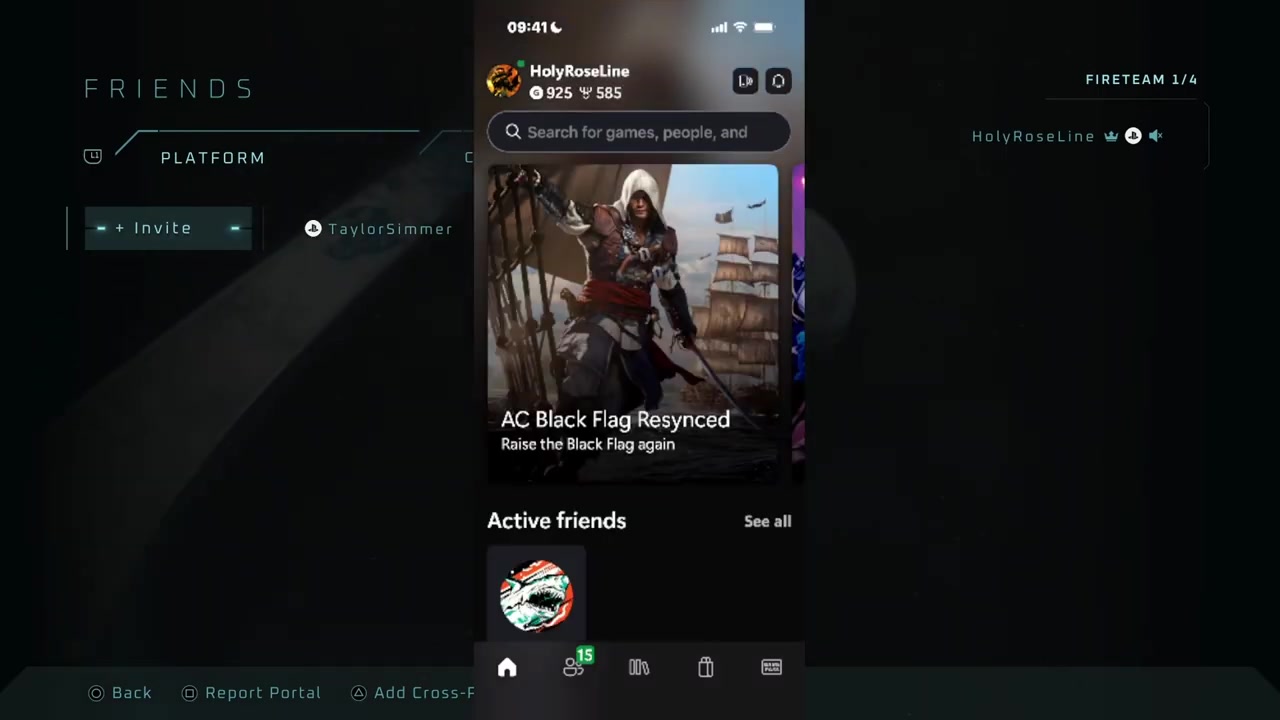
Adding cross-platform friends via Xbox platform
To add a cross-platform friend, users must leave Halo Campaign Evolved and use the Xbox platform (via xbox.com or the Xbox app) to send or accept friend requests, since the game client does not support direct cross-platform friend creation.
How it works
- Go to xbox.com or download the Xbox app and sign in with your Microsoft account.
- Select the friends icon in the bottom-left corner of the Xbox app.
- Send a friend request to the desired player or accept an incoming request.
Source boundary: Friend requests must originate from the Xbox platform; the Halo game client alone cannot initiate cross-platform connections.